
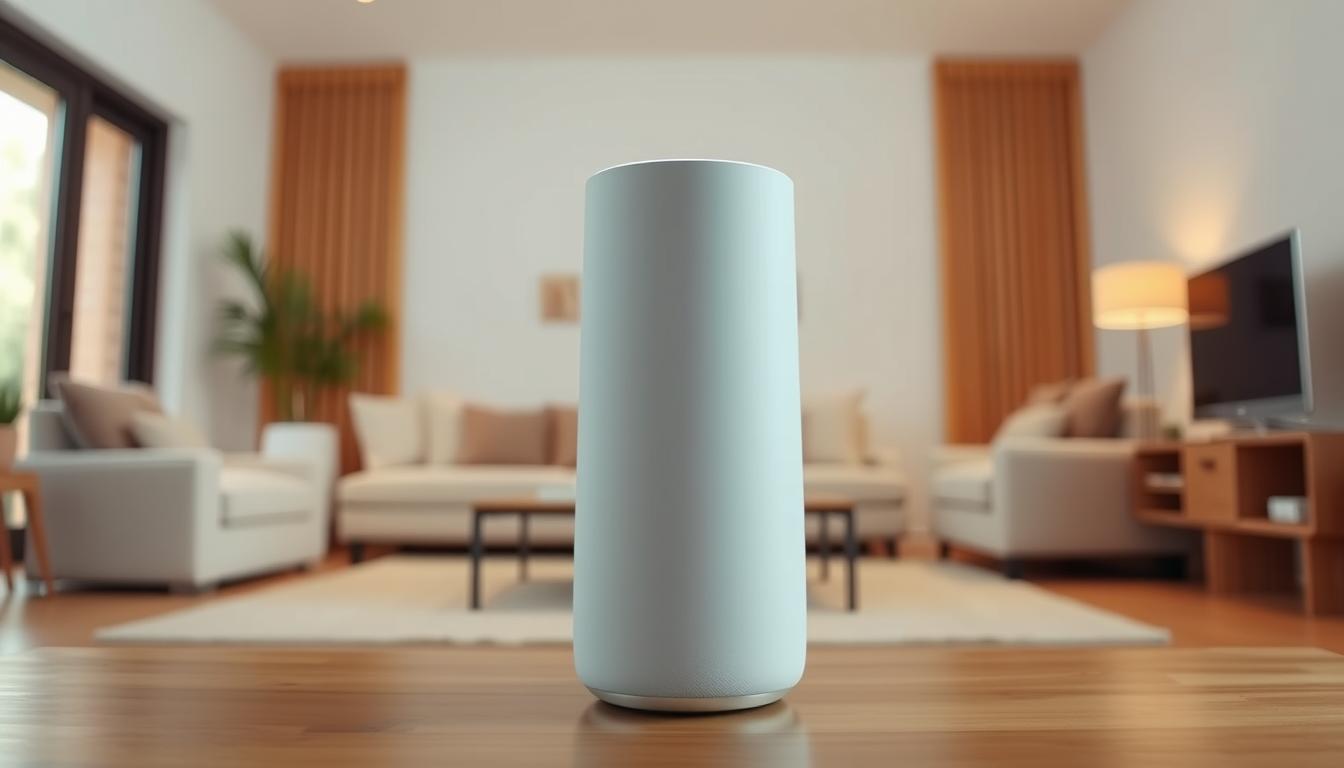
Picking the right home audio setup starts with one clear choice: which voice assistant and ecosystem fit your day-to-day life. Editors favor Google and Amazon for wide device ranges, with Google Nest Audio (~$75) and Nest Hub Max (~$229) as top picks, and the Echo Dot (5th Gen) (~$50) as the budget option.
We’ll walk you through how assistant preference, budget, and room size shape the best option. Expect plain-language advice on features like stereo pairing, multiroom music, microphone quality, and app ease.
Privacy-minded buyers may lean toward Apple HomePod, while many households pick Google Assistant or Amazon Alexa for device compatibility and price. New Alexa+ adds generative AI and a subscription choice that affects data handling.
Our short list previews value and use cases: Nest Audio for balanced sound, Nest Hub Max for display and hub functions, and Echo Dot for tight budgets. This intro sets the way to compare sound, voice reliability, and long-term ecosystem fit so you save time and pick with confidence.
Key Takeaways
- Choose an assistant first—Google or Alexa usually offer the widest device range.
- Nest Audio and Nest Hub Max are top Google picks; Echo Dot is the best budget option.
- Consider stereo pairing, multiroom music, and mic quality for daily use.
- Apple HomePod is a strong option if privacy matters most.
- New Alexa+ adds generative AI features but changes voice recording policies.
How to pick a smart speaker today: platforms, privacy, and your home setup
Start by matching the assistant and ecosystem to the apps and home devices you already use. That choice shapes what services, routines, and controls will be easiest each day.
Alexa covers the widest range of devices—over 140,000. The Alexa app can be powerful but clunky and sometimes resurfaces old gear.
Google Assistant tends to give better answers and ties tightly into Google Calendar and other services. Google plans to move more functionality toward Gemini for richer conversations.
Apple Home focuses on privacy. Data mainly improves Siri and stays protected. The Home app is simple and clean, which helps when you pair with an Apple HomePod or HomePod mini.
Standards that future‑proof your setup
Matter, Thread, and Wi‑Fi matter because they make new things work faster across platforms. Nest Hub Max and Echo Show 8 act as built‑in hubs that simplify device setup and expand range.
Privacy and daily app use
Decide whether you prefer better answers, the widest selection of devices, or the most private option. Alexa+ adds cloud AI and a subscription layer, while Google shifts toward Gemini. Apple stays the most privacy‑forward.
“Match the ecosystem to your routines; that saves time and reduces frustration.”
| Platform | Device count | Strength | Hub support |
|---|---|---|---|
| Amazon Alexa | 140,000+ | Broad device compatibility | Zigbee, Thread, Matter (Echo Show 8) |
| Google Assistant | 50,000+ | Best answers & Google services | Thread, Matter, Wi‑Fi (Nest Hub Max) |
| Apple Home | ~1,000+ | Privacy-first, easy app | HomeKit over Wi‑Fi |
Our top smart speaker picks at a glance

Here’s a compact, easy-to-scan list of top picks to match rooms, budgets, and ecosystems. Use this roundup to compare price, sound, and assistant support quickly.
Best overall: Google Nest Audio (~$75)
Why buy: Balanced sound, compact design, and great value for stereo pairs. Works smoothly with Google Home groups and phone integration.
Best budget pick: Amazon Echo Dot (5th Gen) (~$50)
Why buy: Low price and surprising bass for small rooms. The Echo Dot with Clock variant is handy for bedrooms.
Best smart display: Google Nest Hub Max (~$229)
Why buy: Large 10-inch display, excellent Google Photos integration, and a built-in hub that supports Matter over Thread and Wi‑Fi.
Best third‑party audio: Sonos Era 100 (~$199–$217)
Why buy: Rich music performance with stereo tweeters, a bigger woofer, Bluetooth, and AirPlay 2. Note: no Google Assistant support.
Best soundbar: Sonos Beam (Gen 2) (~$450–$499)
Why buy: Dolby Atmos, multiroom audio, and easy expansion for TV-first setups.
Most flexible assistant support: JBL Authentics 200 (~$250–$380)
Why buy: Dual-assistant support for Alexa and Google Assistant, strong sound, and retro styling—great for hybrid ecosystems.
- Quick tip: Pair two Nest Audios for the best value in a living room.
- Match devices to your ecosystem for fewer app headaches and better voice control.
The smart speaker that anchors most homes: Google Nest Audio

Your main home audio hub should combine clear playback, simple setup, and broad device support.
Why Nest Audio works as an anchor: The Nest Audio is a compact, pillow-like speaker that fills small to medium rooms with surprisingly full sound. Its tuning balances clarity and bass for daily listening. A single unit is strong, but a matched pair around $200 total gives a wider, more immersive soundstage.
Sound, pairing, and ecosystem perks
Pairing two Nest units in the Google Home app is straightforward. You can link them as a stereo pair, then add more devices into groups for multiroom audio. That makes it easy to expand later without redoing your setup.
Google ecosystem perks mean faster answers, tight Calendar and Cast controls, and smooth use with services like Spotify, Pandora, and YouTube Music. Voice responses via google assistant generally feel quick for common commands.
When to pick Amazon Echo instead
If you need the widest device compatibility, consider the Amazon Echo (4th Gen) as a solid alternative. It matches the Nest on overall sound and adds extra device support for third-party gadgets.
| Model | Best use | Key perk |
|---|---|---|
| Google Nest Audio | Living room anchor, stereo pairs | Balanced sound + Google Home integration |
| Two Nest Audios | Medium room stereo | Wider soundstage, true stereo imaging |
| Amazon Echo (4th Gen) | Alternative for broad device setups | Strong compatibility with many devices |
Best smart display for visual control and photos: Google Nest Hub Max

A display changes how you interact with home controls—tap, view, and glance instead of pulling up your phone.
Voice plus touch: why a display can simplify control
The Nest Hub Max pairs a bright 10-inch screen with voice for quick access to lights, cameras, and timers. Tap the screen to silence a doorbell feed or swipe through your calendar without searching your phone.
Photos look great on the always-on frame. Google Photos becomes a living display ideal for kitchens and living rooms. For casual listening, the Hub Max delivers decent audio for podcasts and background music; add a larger speaker if you want deeper bass.
Echo Show 8 as the Alexa-powered alternative
The Echo Show 8 offers an 8-inch screen and strong value on price. It packs a solid speaker and a built-in hub that supports Zigbee, Thread, and Matter—good for homes with lots of third-party devices.
- Tap + voice speeds everyday tasks and timers.
- Nest Hub Max = better photo-frame experience; Echo Show 8 = compact footprint and lower price.
- Both displays simplify adding devices thanks to Matter/Thread support and local hub features.
“A screen turns voice answers into visible controls—making routine tasks faster and less fiddly.”
| Model | Screen | Hub support | Best fit |
|---|---|---|---|
| Google Nest Hub Max | 10-inch | Matter, Thread, Wi‑Fi | Photo frame, kitchen counter, living room |
| Echo Show 8 | 8-inch | Zigbee, Matter, Thread | Smaller counters, lower price, Alexa users |
| When to add a separate speaker | N/A | N/A | For richer bass or dedicated audio rooms |
Best budget smart speaker: Echo Dot (5th Gen) value and sound
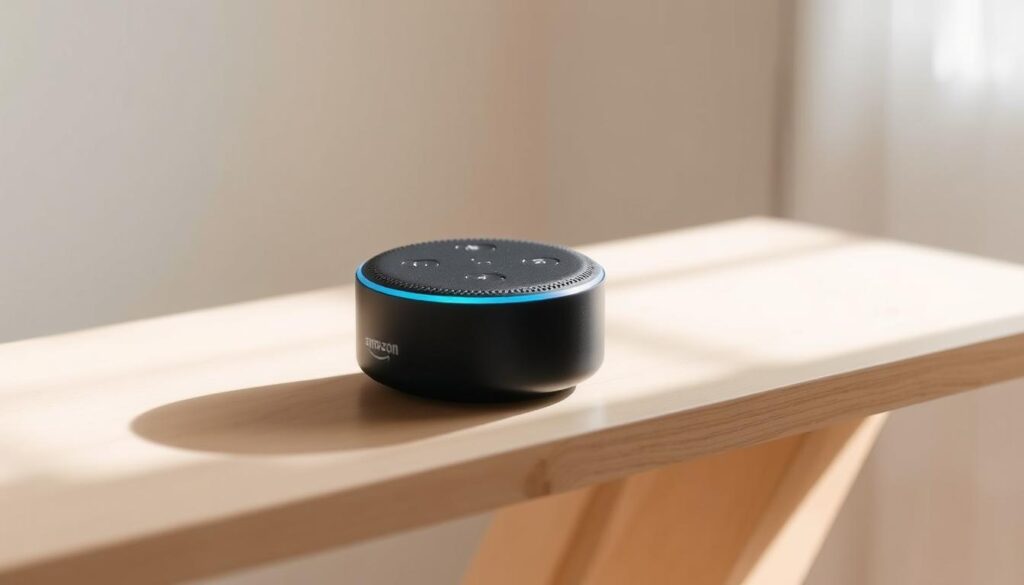
Tiny footprint, surprising output: the Echo Dot (5th Gen) gives you more than you expect for under fifty dollars. It delivers punchy bass and clear mids that work well in offices, dorms, and small apartments.
Compact size, surprising bass, and Dot with Clock option
The Echo Dot’s size-to-sound ratio makes it an easy budget buy for rooms that need music, timers, and quick voice answers. The Dot with Clock adds a visible display for alarms and bedside time checks—worth a few extra dollars if you want a simple bedside option.
Where the Nest Mini fits for Google fans
If you prefer Google’s assistant, the Nest Mini still covers basic voice controls and Cast music. It hasn’t been updated since 2021 and can be tough to find in some colors. Many buyers wait for a refresh if they want newer features.
- Best uses: dorm desks, bathrooms, small kitchens and offices.
- Placement tip: keep the Dot away from strong noise sources so far-field mics stay responsive.
- Pairing tip: multiple Dots can form groups for simple multiroom playback.
“For tight budgets, the Echo Dot balances price and performance better than most compact options.”
| Model | Best fit | Key perk |
|---|---|---|
| Echo Dot (5th Gen) | Small rooms, desks, bathrooms | Surprising bass and clear voice pickup |
| Echo Dot with Clock | Bedside tables | Visible alarm/time display |
| Nest Mini | Google fans wanting basic controls | Compact cast support; awaiting refresh |
Third‑party standout for music lovers: Sonos Era 100
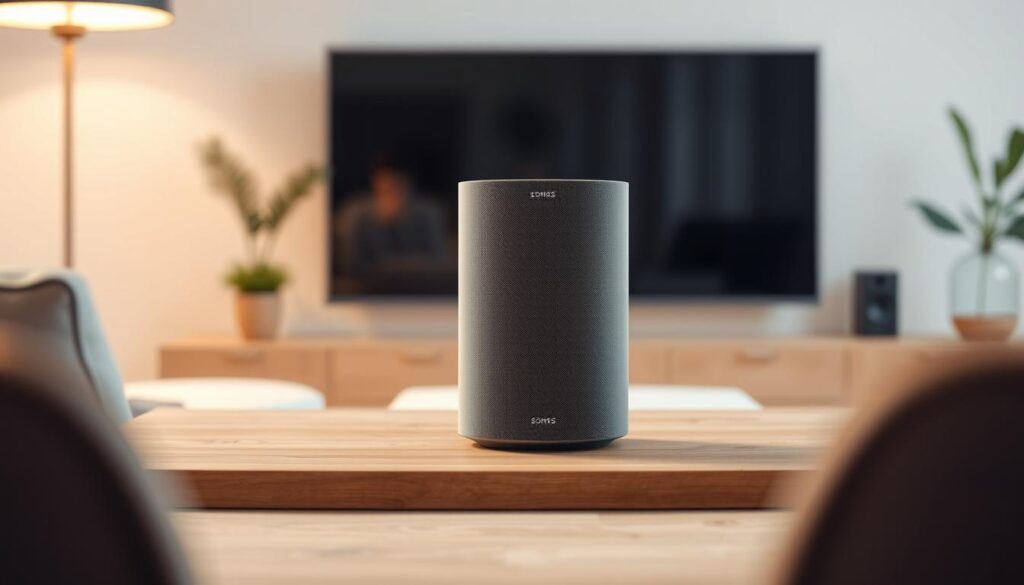
If you value clear playback and fuller bass, the Sonos Era 100 is worth considering.
What changed: The Era 100 upgrades the Sonos One with stereo tweeters and a woofer that’s about 25% larger. That combo adds more detail, tighter mids, and deeper low end in medium rooms.
Stereo architecture, streaming, and pairing
The Era 100 supports Bluetooth and Apple AirPlay 2, so it acts as a versatile bluetooth speaker for phones and tablets.
Use two units for true stereo or add them as surrounds with a Sonos soundbar. Sonos’ app handles room tuning and whole‑home audio with minimal fuss.
Limits and longevity
Note: the Era 100 supports amazon alexa and AirPlay 2, but it does not include Google Assistant. Plan voice and device choices accordingly.
Sonos had update controversies in 2020 but has since patched issues. In practice, their speakers tend to last longer than many rivals, making the Era 100 a strong music‑first option.
- Best fit: buyers who put music and audio quality first.
- Consider: pairing two for stereo or using them as surrounds with Sonos soundbars.
“If music matters most, Era 100 brings the detail and bass to match a higher‑end setup.”
Smart soundbar that upgrades TV and voice control: Sonos Beam (Gen 2)
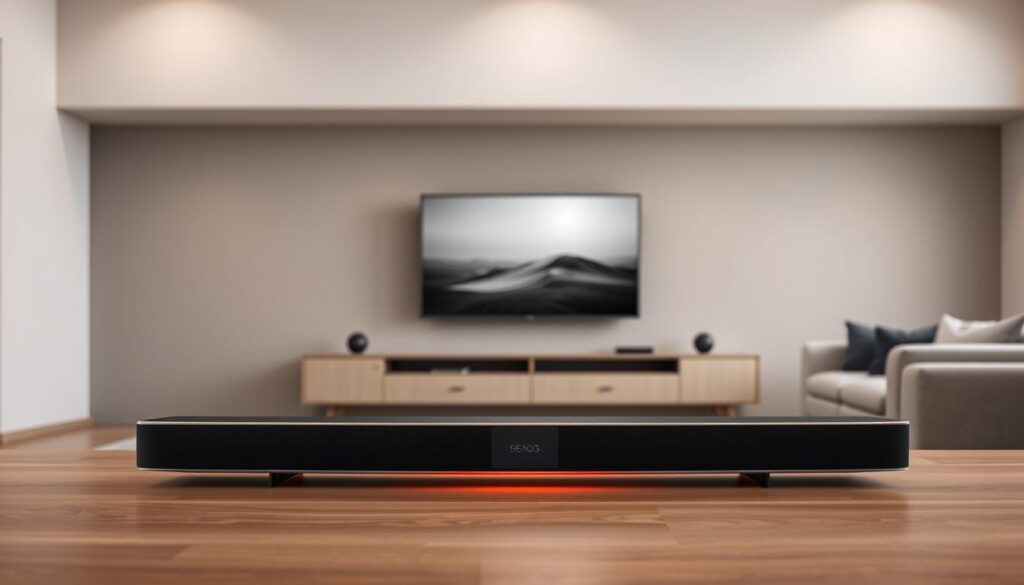
The Sonos Beam (Gen 2) turns a TV setup into a compact, convincing home theater.
The Beam adds Dolby Atmos for clearer height and immersion in movies and TV. You get richer audio without a massive soundbar or complex wiring.
Built‑in voice support handles volume, inputs, and music hands‑free via Amazon Alexa or Google Assistant. That makes daily control fast and natural.
Connectivity includes HDMI eARC, Wi‑Fi, Ethernet, and an IR receiver for your TV remote. It pairs simply with Sonos subs and rear speakers for a fuller setup using the Sonos app.
Price usually sits near $499, with occasional discounts during sales. Watch for bundle deals if you plan to add rears or a sub.
- Dolby Atmos adds perceived height and room immersion.
- Hands‑free voice control for quick adjustments.
- HDMI eARC and Ethernet for reliable TV and network links.
- Easy expansion with other Sonos devices for multiroom audio.
“For apartment and living‑room viewers who want strong sound, voice features, and easy expansion, the Beam (Gen 2) is a tidy, high‑quality choice.”
Dual‑assistant convenience: JBL Authentics 200 with Alexa and Google Assistant
If your household uses both ecosystems, a single device that runs two assistants can cut friction and save time.
The JBL Authentics 200 can run Google Assistant and Amazon Alexa at once, so you don’t toggle defaults to hand off tasks. That alexa google pairing makes voice control feel seamless when family members prefer different systems.
Design and daily use: reviewers like the retro look, foam grille, and tactile knobs. Physical controls add a pleasing, hands-on feel that many buyers enjoy.
- Audio profile: warm, full sound that sits between the Sonos Era 300 and Era 100 in clarity and heft.
- Connectivity: Wi‑Fi, Bluetooth, and AirPlay 2 with setup and tuning through the JBL One app.
- Best fit: homes that run multiple devices and want a single option that respects both ecosystems.
| Feature | What it means | Why it matters |
|---|---|---|
| Dual assistants | Google Assistant + Amazon Alexa simultaneously | Avoids switching defaults; smoother voice control across home |
| Connectivity | Wi‑Fi, Bluetooth, AirPlay 2 | Flexible streaming and multiroom options |
| Design & controls | Retro grille, knobs, JBL One app | Tactile use and easy tuning for everyday life |
Smart speaker honorable mentions worth a look
Beyond the main buys, a few niche products expand the range of rooms and routines you can cover. These picks add compact displays, high‑end materials, or bulky audio power when you need an option that fits a special case.
Echo Spot, Echo Hub, Echo Studio, Echo Show 10
The Echo Spot is a small, partial display that shows time, weather, and song info without a camera — handy at a bedside. The Echo Hub mounts to a wall as a central controller; its built‑in sound is weak, so pair it with a better speaker for music.
Echo Studio is Amazon’s biggest audio push, with bold bass and room‑filling output when available. The Echo Show 10 adds a rotating display that follows you during video calls and kitchen recipes.
Bang & Olufsen, Nest Hub, and Pixel Tablet with dock
B&O’s Beosound A1 is a portable Alexa option; the Beosound Level is a premium, repairable model offered with or without Google Assistant. Google’s Nest Hub (7‑inch) works well at a bedside and tracks sleep without a camera.
The Pixel Tablet plus its Speaker Dock doubles as a tablet and a household display when idle — a neat two‑in‑one solution for shared spaces.
- Quick read: Echo Spot = glanceable info; Show 10 = swivel display.
- Echo Hub = wall controller; pair with better audio for music.
- B&O and Pixel Tablet add design or tablet flexibility to your device mix.
| Model | Best fit | Key trait |
|---|---|---|
| Echo Spot (2nd gen) | Bedside glanceable info | Partial display, no camera |
| Echo Hub | Central touch controller | Wall mounted; pair for audio |
| Echo Studio | Large rooms needing bass | Amazon Echo high output |
| Beosound Level / A1 | Design‑forward or portable | Premium materials; optional assistant |
| Pixel Tablet + Dock | Family hub & tablet | Tablet that becomes a display |
Smart speaker
Think of these devices as tiny control centers: always-on microphones, a built-in assistant, and playback that goes beyond Bluetooth. A smart speaker plays music, answers questions, sets timers, and manages lists while you keep your hands full.
How they differ from Bluetooth-only units: Bluetooth speakers stream from a phone but stop when the phone disconnects. Voice-enabled models listen for wake words and run voice commands for everyday things like weather, conversions, and reminders.
One app usually ties multiple devices together. That app organizes groups, routines, and device control so lights, thermostats, and speakers behave as one system.
Smart displays add video for calls, calendars, and streaming when a screen makes life easier. Supported music services and podcast apps vary, but most major services work across brands for smooth playback in every room.
“Grouping and routines let many speakers act like a single system — you barely have to think about them.”
- Quick takeaway: these devices combine hands-free control and multiroom playback, saving time and simplifying routines.
Choosing your voice assistant in the present day
Picking an assistant now shapes how your devices talk to each other, how much privacy you get, and how smoothly daily tasks run.
Amazon Alexa and Alexa+
Amazon powers an enormous device ecosystem—over 140,000 compatible gadgets—so it’s the go-to when you need wide hardware choice. Echo models cover many rooms and price points. Alexa+ adds generative AI and subscription features for more natural, personalized conversations; those richer replies are processed in the cloud, which improves context but changes data handling.
Google Assistant and Gemini
Google Assistant tends to return better factual answers and ties tightly to Google Home services like Calendar and Cast. That makes multiroom music and household coordination feel seamless. Google is shifting toward Gemini for deeper conversational help, which could mean Nest devices get smarter about follow-up questions and camera integrations.
Apple Home and Siri
Apple’s Home app is simple and privacy-forward. The HomePod and HomePod mini keep much data local and limit cloud processing. That protects users but comes with trade-offs: fewer compatible devices and occasionally slower Siri responses for complex queries.
“Match your assistant to your phone, services, and habits so daily routines stay simple.”
| Assistant | Strength | Privacy | Best fit |
|---|---|---|---|
| Amazon Alexa | Broad device range; many Echo models | Cloud processing (Alexa+ subscription adds generative AI) | Homes with many third‑party gadgets |
| Google Assistant | Best answers; Google Home & Cast integration | Mixed local/cloud processing; Gemini will expand capabilities | Users tied to Google services and multiroom music |
| Apple (Siri) | Privacy-first Home app; tight Apple ecosystem | Local processing favored; minimal cloud use | Privacy-minded users with iPhone and HomePod |
Quick takeaway: choose the assistant that matches your phone, apps, and daily services to avoid friction and keep music, audio, and home controls working together.
Audio matters: sound quality, microphones, and room size
Good audio starts with hardware and placement. Drivers shape tone, microphones affect responsiveness, and the room itself can make or break listening. Small choices change how devices perform in daily use.
Tweeters, woofers, and room acoustics
Tweeters deliver clarity in vocals and highs while woofers supply bass depth. The Sonos Era 100 upgrades with stereo tweeters and a 25% larger woofer versus the Sonos One, giving fuller bass and more room-filling sound at moderate volumes.
Placement matters: put a unit near a wall or in a corner and bass will increase. Open shelves and central placement usually make the sound more balanced. For the best quality, listen and nudge the device a few inches until voices and low end sit right.
Far‑field mics, wake words, and placement tips
Far-field microphones rely on clear sight lines and low background noise. A noisy kitchen or a closed cabinet will hurt wake-word performance.
- Keep devices away from running appliances and direct sun.
- Mount or place them at ear height for best pickup.
- If you need voice from across a room, avoid heavy curtains and clutter between you and the mic.
Displays such as the Echo Show 8 add spatial audio processing that helps virtual staging, but a dedicated, well-placed unit still wins for pure music and dynamic range.
“Drivers and placement change what you hear more than price alone.”
Smart displays vs smart speakers: when a screen is the better pick
A touchscreen can turn routine commands into quick taps and visual checks when your hands are full.
When to choose a display: a screen helps you glance at camera feeds, tap lights, and scan a calendar without speaking. Kitchen counters, entryways, and a home office benefit most.
Content differences matter: Google’s displays usually avoid sponsored content and make better photo frames via Google Photos. Alexa Show devices may surface sponsored tiles and widgets by default, though you can trim those in settings.
If privacy or bedside use matters, the Nest Hub (7-inch) is a strong option. It tracks sleep, has no camera, and keeps the bedside simple.
When audio wins: choose a pure speaker setup if fidelity is your top priority. A speaker-only unit often delivers richer sound and fewer on-screen distractions.
“If you want to see and tap controls, pick a display; if you prefer cleaner audio and less fuss, stick with a speaker.”
| Use case | Best fit | Why it helps |
|---|---|---|
| Bedside with sleep tracking | Nest Hub (7-inch) | No camera, simple sleep tools |
| Kitchen & family hub | 10-inch display | Glanceable timers, photos, cameras |
| Pure music rooms | Speaker-only option | Better audio fidelity, fewer ads |
Multiroom audio and grouping across ecosystems
Getting music to follow you from room to room is simpler than you think when systems talk to each other. Groups let a single playlist or podcast play in sync across devices, and most platforms make setup fast.
Google Home groups and Cast controls
You can build groups in the Google Home app and tap the Cast button during playback to add rooms instantly. This is handy when you start a song on your phone and want it in the kitchen, living room, or bedroom without opening multiple apps.
Alexa groups and Echo spatial audio
Alexa supports speaker groups from the Alexa app. Create zones like “Downstairs” or “Upstairs” to move music between rooms with one voice command. The Echo Show 8 adds spatial audio processing that widens sound for displays used as part of a group.
Sonos whole‑home setups with Era and Beam
For larger systems, Sonos links devices such as the Era 100 and Beam (Gen 2) into a single, flexible setup. The Sonos app handles grouping, Trueplay tuning, and routing so you can mix soundbars and standalone units without sacrificing sync.
- Quick compare: Google Home = easy Cast control; Alexa = flexible zones and Show 8 spatial depth; Sonos = high‑quality syncing with soundbar support.
- Practical tip: name rooms clearly so anyone in the household can use voice or app control without confusion.
“Group names and simple room labels make multiroom audio a no-brainer for every family member.”
Connectivity and control: Bluetooth, AirPlay 2, apps, and voice commands
Quick connections matter: knowing when to tap Bluetooth, AirPlay 2, or an app keeps music playing with no fuss.
Use Bluetooth for a one-off stream from a friend’s phone. It’s fast and universal, but it won’t join multiroom groups or accept voice commands reliably.
AirPlay 2 is ideal for Apple devices. It streams lossless audio to compatible devices like the Sonos Era 100 and JBL Authentics 200 while keeping sync across rooms.
The Google Home and Alexa apps manage groups, routines, and devices. Open the app to create zones, set schedules, or pick which room plays music with a single tap.
- Services: Alexa supports Amazon Music, Spotify, Apple Music, Pandora, and SiriusXM. Google handles Spotify, Pandora, and YouTube Music natively.
- Voice commands: Say the room name and track title to get consistent results; name rooms clearly in each app.
- Mix‑and‑match: Bluetooth for guests, AirPlay 2 for Apple users, app control for whole‑home audio harmony.
| Connection | Best use | Limitations |
|---|---|---|
| Bluetooth | Quick phone streaming, guest playback | No multiroom sync, limited voice control |
| AirPlay 2 | Apple devices, multiroom sync | Requires compatible devices and Wi‑Fi |
| App control (Google/Alexa/JBL) | Grouping, routines, account services | Setup needed; app differences between platforms |
“Clear naming and a quick test stream will save you time when switching rooms or assistants.”
Price, deals, and the best time to buy in the United States
Compare typical street pricing first, then wait for key sale periods to buy with confidence. Knowing regular price ranges makes it easier to spot real discounts and avoid impulse buys that lock you into the wrong ecosystem.
Typical street pricing and seasonal sales to watch
Here are common U.S. street prices so you know what to expect:
| Product | Typical price |
|---|---|
| Google Nest Audio | $75 |
| Nest Hub Max | $229–$230 |
| Amazon Echo Dot (5th Gen) | $50 |
| Sonos Era 100 | $199–$217 |
| Sonos Beam (Gen 2) | $499 (often discounted) |
Balancing budget with ecosystem lock‑in
Black Friday, Prime Day, and holiday sales are the best times to buy. Track prices for a few weeks so you spot genuine drops and not short-term promos.
Tip: buying two mid‑range speakers often beats one costly unit for stereo and multiroom music. Also factor in recurring costs: Alexa+ runs about $20/month or may be included with Prime and is rolling out to Echo Show devices in the U.S.
“A fair price today can save you swap costs later.”
Longevity, updates, and what to expect over time
Plan for software life as much as hardware life when you buy a connected device. Firmware, cloud services, and company policies shape how long a product stays useful. That matters more for feature growth than raw sound quality.
Software support realities from Amazon, Google, and Sonos
Amazon is expanding Alexa+ with cloud processing that can add features over time. Google plans to fold Gemini into devices for richer answers and context. Both moves mean ongoing improvements, but also more cloud dependence.
Sonos had a rough patch in 2020 over legacy updates, then added clearer paths for older hardware. In practice, Sonos speakers often outlast many rivals thanks to steady app and firmware support.
Why standards and update policies influence your purchase
New rules, like the UK law from April 2024, require clearer support timelines and better security practices. Open standards such as Matter and Thread make devices more future-proof across an ecosystem.
- Expect 3–6 years of meaningful updates for major brands, though basic security patches may last longer.
- Prefer products with published support timelines and active app updates.
- Look for Matter/Thread support to keep things working as assistants evolve.
“Buy for the ecosystem and update policy, not just for today’s features.”
Your best pick, made simple: match the right speaker to your home
Match each room to one clear goal — voice control, deep music, TV, or a compact bedside option — and the right pick gets obvious fast.
Need the best smart speaker for general use? Choose the Nest Audio for balanced audio and easy stereo pairing. Want the cheapest solid compact option? The Echo Dot (5th Gen) covers small rooms and alarms.
Prefer a display? Pick the Nest Hub Max for photos and tap control. Put music first and go Sonos Era 100 for richer sound. For TV setups, the Sonos Beam (Gen 2) handles movies and expansion well.
If family members use both assistants, the JBL Authentics 200 avoids swapping defaults. Use this short list as a simple way to map rooms, budget, and habits to the right device so your home sounds and works the way you live.
Leave a Reply