

Can one platform cut costs, boost control, and let teams build smarter workflows without endless vendor lock-in? This question matters in 2025 as buyers face opaque pricing, gated features, and steep learning curves across popular automation tools.
Here we set the stage for a practical comparison that treats every platform fairly. The focus is clear: real buyer needs like pricing predictability, governance, and reliability.
Our roundup uses a consistent evaluation framework so you can see how open architecture, multiple triggers, and self-hosting stack up against task-based models. Expect concise data on pricing impact at scale, builder UX, and integration reach.
If you manage integrations, apps, or internal workflows, this overview helps users pick a platform for quick wins and long-term governance. Later sections show proof-of-concept steps to reduce migration risk.
Key Takeaways
- Open, extensible platforms can lower long-term cost and increase control for teams.
- Consistent evaluation metrics make cross-platform comparisons fair and actionable.
- Pricing models (task vs. execution) materially affect total cost at scale.
- Builder experience, error handling, and deployment options are core buyer concerns.
- Data on integrations and features helps plan a low-risk proof of concept.
Why teams in the United States are comparing n8n and Zapier right now
U.S. teams are rethinking automation stacks as costs, compliance, and AI use cases reshape priorities.
Buyers report that task-based pricing and feature gating on free tiers make long-term costs hard to predict. Execution-based models and multi-trigger workflows can simplify architecture and cost modeling for growing teams.

Many users start with quick wins using broad connector libraries and low-friction apps. But when data volumes and event frequency grow, cost and governance needs push teams to reevaluate.
- Higher automation volume and AI projects increase run counts and visibility needs.
- Self-hosting options appeal to teams that must control data residency and compliance.
- Comparing integrations breadth vs. depth helps match current scope to future needs.
Technical and mixed-skill teams often prefer a visual builder they can extend. That trade-off—shorter time-to-value versus a steeper learning curve—drives platform choice as organizations scale.
How we evaluated automation platforms for this roundup
We applied a single scoring model to every product so comparisons were fair, practical, and buyer-first.
Core automation, AI readiness, governance, and usability criteria (weights)
Scoring weights: Core Automation 25%, AI Readiness 20%, Ecosystem & Extensibility 15%, Reliability 10%, Deployment & Governance 10%, Usability 10%, Support & Resources 10%.

We combined hands-on tests, docs review, and community feedback to score real-world performance.
- Depth of features, logic flexibility, retries, and run-level observability.
- AI-native capabilities, tracing, versioning, and SDK support.
- Ecosystem reach vs. custom-node extensibility trade-offs.
- Governance, compliance, and deployment options for sensitive data.
What changed in 2025: pricing transparency and AI-native features
In 2025 vendors published clearer pricing snapshots and enterprise governance tiers. AI-native tools added evals and observability, shifting how we score automation and control.
| Category | Weight | What we checked | Why it matters |
|---|---|---|---|
| Core Automation | 25% | Triggers, actions, branching, retries | Drives day-to-day workflow reliability |
| AI Readiness | 20% | Model evals, SDKs, LLM integration | Enables smarter, adaptive automations |
| Governance & Deployment | 10% | VPC, on‑prem, audit logs | Required for compliance and control |
| Support & Usability | 10% | Docs, community, response SLAs | Speeds implementation and maintenance |
Objectivity note: Rankings used no affiliate influences. This keeps assessments focused on real buyer trade-offs and long-term cost and control.
n8n at a glance: open, extensible, and self-hostable versus Zapier’s simplicity
Choosing the right automation stack means balancing predictable costs with how deeply you can customize workflows.
Execution-based vs task-based pricing and what it means for costs
Execution-based pricing charges per run. That makes it easier to model costs when a workflow triggers many records.
By contrast, many task-based plans bill per step or per record. This can multiply charges as volumes grow.
Workflow builder depth, custom nodes, and multiple triggers
The workflow builder in this open platform supports multiple triggers in one flow. Teams can add custom nodes and write complex logic.
This reduces fragmentation and the need to stitch many small automations together. Self-host options also help teams keep data on their own infrastructure.
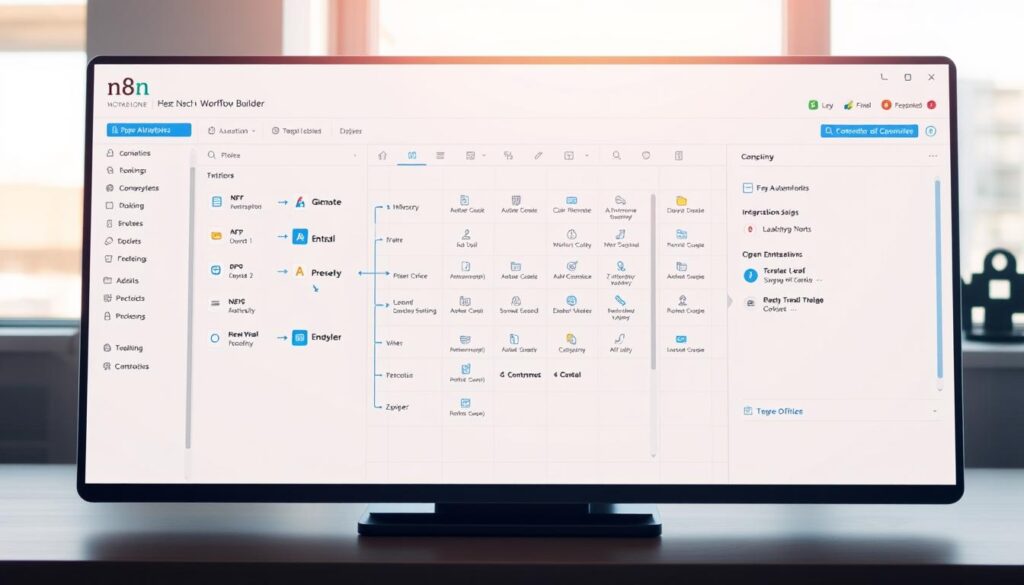
“Execution pricing and self-hosting give teams clearer cost forecasts and tighter data control.”
| Area | Open platform | Cloud-first competitor |
|---|---|---|
| Pricing model | Execution-based — predictable per run | Task-based — per step or record |
| Builder depth | Custom nodes, multiple triggers, advanced logic | Large connector library, simple templates |
| Deployment | Self-host or cloud | Cloud-only |
| Best for | Control, niche integrations, predictable scaling | Fast starts, non-technical users, broad app coverage |
- Quick heuristic: choose the cloud-first tool for speed and breadth, and pick the open, self-hostable option for depth, control, and predictable pricing.
Best n8n alternatives in 2025: strengths, trade-offs, and pricing snapshots
This compact comparison shows which platforms shine for specific workflows, team skills, and enterprise needs.

Zapier
Best for: non-technical users who need a massive app library.
Pricing snapshot: free tier, then roughly $20+/mo for paid plans. Strength: plug‑and‑play apps and fast setup. Trade-off: task-based pricing can rise with volume.
Make.com
Best for: complex routing, branching, and error handling at good value.
Pricing snapshot: from about $9/mo operations-based. Strength: powerful logic and retries. Trade-off: steeper learning curve for new users.
Pipedream
Best for: developer-first flows with serverless code steps and live events.
Pricing snapshot: from ~$29/mo. Strength: codeable steps and real-time triggers. Trade-off: smaller connector set versus app-centric tools.
Vellum
Best for: AI-native evals, observability, and flexible deployment.
Pricing snapshot: free and enterprise tiers. Strength: built-in model tracing and governance. Trade-off: focused on AI workflows rather than broad app coverage.
Pabbly Connect
Best for: budget-conscious teams needing generous task limits.
Pricing snapshot: plans from about $14/mo. Strength: high task quotas at low cost. Trade-off: fewer enterprise-grade governance features.
Other noteworthy picks
- StackAI: enterprise AI agents with governance; enterprise pricing.
- Microsoft Power Automate: best inside Microsoft stacks; starts near $15/mo and strong compliance.
- Workato, Tray.ai, Celigo, SnapLogic: enterprise iPaaS powerhouses—feature-rich but priced for large orgs.
- Parabola: visual batch dataflows (~$20/mo) for ETL work.
- Node-RED, Activepieces, Flowise: OSS options—free self-hosting or low-cost prototyping for code-savvy teams.
How to use this shortlist: match a platform to your integration needs, governance priorities, and expected pricing at scale. Always confirm current plans on vendor sites before buying.
Additional contenders gaining traction in 2025
A set of rising tools focuses on prototyping fast, adding conversational and collaborative layers to routine processes.

Gumloop
What it does: LLM‑powered flows and web scraping with starter templates for quick wins.
Gumloop helps teams build AI-native automations without heavy setup. It suits projects that need structured data extraction and model-driven logic.
Lindy
What it does: Natural-language commands that run email, calendar, and workspace tasks across 7,000+ integrations.
Users can speak or type requests and let Lindy stitch multi-step processes together. This speeds learning and reduces manual choreography.
Relay.app
What it does: Collaborative workflows with human approvals and repeatable team steps.
Relay.app blends automation with in-line reviews for onboarding, approvals, and cross-team processes.
IFTTT & Integrately
IFTTT remains strong for personal automations and low-cost plans. Integrately offers many one‑click templates tailored to ecommerce connections.
Trade-off: these newcomers often have smaller connector libraries and evolving governance compared with mature platforms.
Try this: pilot one high-value workflow to test integration, pricing, and fit before a wider rollout.
| Platform | Strength | Best fit | Pricing note |
|---|---|---|---|
| Gumloop | LLM flows, scraping templates | AI-native data projects | Starter plans for prototyping |
| Lindy | Natural-language orchestration | Email and calendar automation | Usage-based plans for users |
| Relay.app | Human-in-the-loop approvals | Team processes and onboarding | Team plans with collaboration features |
| IFTTT / Integrately | Simple templates, ecommerce focus | Personal or small business workflows | Low-cost monthly plans |
Workflow automation buyer’s checklist: features that matter most
Start your vendor shortlist by testing how each platform connects to the apps that run your business.

Focus on measurable behavior: test connectors for core apps, webhook responsiveness, and two‑way sync on real endpoints.
Integrations and sync
Compare connector depth for your critical systems. Verify webhooks handle retries, backoff, and pagination reliably.
Logic, observability, and recovery
Inspect branching, loops, mappers, and retry policies. Check run‑level logs, filters, and search so users can diagnose issues fast.
- Versioning: export/import, promotion between environments, and auditability.
- Governance: role‑based access, SSO, audit logs, IP allowlisting for compliance.
- Support: docs, templates, community examples, and SLAs for operational support.
| Check | Why it matters | How to test | Expected signal |
|---|---|---|---|
| Connector depth | Reduces custom work | Sync a core app with fields and webhooks | Full field mapping, native auth |
| Two‑way sync | Keeps data consistent | Pilot a complex data sync | Deterministic conflict handling |
| Run logs & debugging | Speeds recovery | Trigger failures and inspect traces | Searchable, exportable logs |
| Governance | Ensures compliance | Review RBAC and audit trails | Clear roles and immutable logs |
The learning curve: balancing ease of use with developer‑grade control
The real test of a platform is whether both casual users and engineers can deliver repeatable automations.
Ease of use accelerates adoption: when a user can build a simple flow quickly, stakeholders see value fast. That momentum funds more ambitious work.
At the same time, developer tools determine if complex workflows can be sustained. Platforms with advanced builders and custom nodes require more learning but repay teams with flexibility.

“Start simple, then formalize patterns so maintenance doesn’t become a full-time job.”
Different platforms land in different spots. Some offer the fastest onboarding for non-technical users. Others are deeper and better for engineers who need code steps or self-hosting.
- Flatten the curve: use templates, document patterns, and standardize node usage.
- Training path: intro to builder basics, logic constructs, error handling, and environment promotion.
- Team approach: pair a power user with a developer to co-create reusable patterns.
| Learning focus | Who benefits | How to flatten the curve | Long-term signal |
|---|---|---|---|
| Rapid onboarding | Non-technical users | Templates and guided tours | Fast wins, visible ROI |
| Advanced builder | Power users & engineers | Doc patterns, code samples | Maintainable, flexible workflows |
| Developer runtime | Engineering teams | Code steps, CI/CD guides | Scalable, performant automations |
Choose a platform that matches your team: pick the level of control your organization can maintain over time. A measured rollout avoids overengineering while keeping wins visible to stakeholders.
Error handling, debugging, and monitoring: build resilient workflows
Resilient workflows start with predictable retries, clear fallbacks, and visibility on every run. Design each flow so failures trigger a defined path and a notification to the right team.

Anatomy of a resilient flow: use retries with exponential backoff, a fallback branch for degraded behavior, and real‑time alerts to reduce mean time to repair.
Different platforms expose logs and payloads differently. Some solutions show full headers and body for each run. Others provide replay or version rollback to recover quickly.
| Capability | What to expect | Why it matters |
|---|---|---|
| Run logs & payloads | Full headers, body, and timestamps | Speeds debugging and root cause analysis |
| Error replay | Retry failed runs with same data | Fix once, reprocess without data loss |
| Versioning & rollback | Environment flags and quick revert | Limits blast radius in production |
Notable patterns: the Error Workflow pattern triggers on failure and centralizes handling. Make.com‑style replay helps restore processed data after fixes. Many cloud tools add notifications and quick rollback options for fast recovery.
- Set alert thresholds and stream logs to a central observability stack.
- Run synthetic checks for critical triggers and schedule health workflows to validate integrations.
- Use versioning, environment flags, and controlled rollbacks to protect production.
- Reproduce the issue on a test run.
- Isolate the failing node and inspect payloads and headers.
- Test retry logic and verify fallback paths.
- Document the fix and run a replay if needed.
“Postmortems turn incidents into durable improvements that reduce repeat failures.”
Combine these practices with clear on‑call support and you will cut downtime and protect critical data. Strong error handling and monitoring make workflows reliable as scale and complexity grow.
Deployment, data control, and compliance for teams and enterprises
Deciding where workflows run has direct impact on data flow, auditability, and incident response times.
Cloud, VPC, and self-hosted choices
Cloud plans give speed and low friction for proof-of-concepts and fast rollouts.
VPC or self-hosted options suit teams that need tighter control over data paths and third‑party dependencies.
Self-hosting enables keeping sensitive data inside a corporate network and using private networking for regulated workloads.
SSO, audit logs, IP allowlisting, and governance
Every enterprise should expect a governance baseline: SSO, SCIM, role‑based access, and immutable audit logs.
IP allowlisting, dedicated IPs, and log streaming to a SIEM are common asks for regulated environments.
“Map sensitive workflows to private environments and standardize secrets management across teams.”
- Microsoft Power Automate aligns naturally with Microsoft 365 and Dynamics security models.
- Some platforms add lifecycle controls and role-based approvals for complex change management.
- Log streaming and retention policies differ—verify export, retention length, and encryption at rest.
| Deployment | Security benefit | Best fit |
|---|---|---|
| Public cloud | Fast onboarding, managed infra | Low-risk, non-sensitive workflows |
| VPC / private cloud | Private networking, dedicated IPs | Regulated workloads, higher assurance |
| Self-hosted | Full control over data paths & dependencies | Data residency and strict compliance needs |
- Security review checklist: data residency, encryption in transit/at rest, key management, and vendor attestations.
- Map sensitive workflows to VPC or self-hosted environments and centralize secrets handling.
- Run a compliance tabletop using a mock incident to validate audit trails and recovery plans.
Integration breadth and workflow builder UX: where platforms differ
A platform’s connector set and interface decide whether a project is a fast win or future debt.
Connector library breadth accelerates pilots. A large library helps teams hook common apps quickly. By contrast, extensibility matters when you need custom logic. n8n supports custom nodes and multiple triggers for complex flows.
Builders vary too. Make.com leans on visual routers and mapping. Zapier favors linear flows that are easy for new users. The deeper node‑centric builder suits teams that need fine control and retries.
API-first tools like Tray.ai win when JSON handling and step debugging matter. Parabola shines for batch ETL. Node-RED remains strong for IoT protocols and protocol-level integrations.
Validate critical interfaces in the builder: pagination, rate limits, retries, and schema evolution. Run a quick UX bake-off: rebuild one workflow in two tools and compare steps, clarity, and runtime observability.
“A clear interface reduces onboarding time and makes patterns repeatable.”
| Focus | Why it matters | What to test |
|---|---|---|
| Connector stability | Reduces maintenance | Auth refresh, schema changes |
| Debugging | Speeds recovery | Payload view, step replay |
| Throughput | Predictable cost | Pagination, rate-limit handling |
- Prefer stable, well-documented connectors for long‑term maintenance.
- Choose the balance of library vs. extensibility that fits your stack and users.
Pricing deep dive: task‑based, operations‑based, and execution‑based models
Choosing the right pricing model matters as workflows move from pilot to production. Costs behave differently depending on how a platform counts work. Forecasting requires knowing which units drive bills and how record multiplicity affects totals.
Estimating real costs at scale across teams and workloads
Task‑based plans charge per step or record. This can balloon when arrays expand or many records pass through each step. Feature gates on lower plans also push teams to upgrade unexpectedly.
Operations‑based pricing bills by operation or execution unit. It often gives better value for multi‑step, high‑volume workflows because the bundled operations smooth per‑run spikes.
Execution‑based models charge per run or invocation. That makes cross‑workflow comparisons simpler and helps forecast at scale, especially with mixed job sizes.
“Run a two‑week pilot, measure step counts, record multiplicity, and include add‑ons before you commit.”
- Estimate: daily volume × average steps × record multiplier + concurrency buffer.
- Account for premium connectors, overages, and enterprise minima.
- Self‑hosting cuts software fees but adds infra and ops cost.
| Model | How billed | When it fits |
|---|---|---|
| Task‑based | Per step or per record | Simple linear workflows, low volume |
| Operations‑based | Operations or units | High‑volume, multi‑step flows |
| Execution‑based | Per run/invocation | Heterogeneous workloads, predictable scaling |
Use cases by role: ops, GTM, data, engineering, and AI product teams
Practical role-based cases show when to use batch transforms, real-time APIs, or self-hosted flows.
GTM teams benefit from lead enrichment, routing, and CRM hygiene across apps and channels. These workflows speed handoffs and improve conversion metrics.
Ops needs order syncs, approvals, and financial flows that include retries and audit logs. Reliability and observability are the must-have features here.
Data teams run scheduled batch transformations (Parabola fits well) and API-mediated syncs for reporting. Tray.ai and Workato suit complex API-heavy syncs.
Engineering builds custom flows when unique APIs or logic are required. Pipedream and n8n are useful where codeable steps and self-hosting matter most.
AI product teams use platforms like Vellum for model evals, versioning, and monitoring LLM-driven experiences. Observability and experiment tracking are critical.
“Use a portfolio of tools: match platform strengths to each case rather than forcing one tool to do everything.”
| Role | Typical cases | Best-fit tools |
|---|---|---|
| GTM | Lead enrichment, routing, CRM hygiene | Zapier-style quick apps, GTM-oriented connectors |
| Ops | Order syncs, approvals, finance workflows | Parabola, enterprise iPaaS with audit logs |
| Data | Batch transforms, scheduled syncs | Parabola, Tray.ai, Workato |
| Engineering | Custom APIs, unique logic, self-hosting | Pipedream, n8n |
| AI product | Model evals, tracing, monitoring | Vellum |
Tip: if your organization standardizes on Microsoft, Power Automate often fits naturally for Microsoft-first apps. For sensitive processes, self-hosted setups satisfy internal policies. Adopt a portfolio approach: assign the right platform to each workflow and let teams innovate without overloading a single tool.
n8n Zapier alternative guide: when to switch, what to test, how to compare
Deciding to change automation platforms is a practical, measurable choice — not a leap of faith. Start with a focused pilot that mirrors daily work. Show cost, reliability, and developer effort with numbers you can present to stakeholders.
Proof‑of‑concept checklist and success metrics for your pilot
Decision framework: consider switching if you need self‑hosting, execution‑based pricing, multiple triggers in one flow, or deeper logic and error handling than linear zaps provide.
- PoC scope: rebuild 3–5 representative workflows, including one complex branch and one high‑volume sync.
- Success metrics: time‑to‑first‑run, run success rate, mean time to repair (MTTR), and cost per 1,000 events estimated from observed executions.
- Integration tests: webhook responsiveness, pagination, rate‑limit handling, and retry behavior under simulated outages.
- Governance checks: validate SSO, audit logs, role permissions, and secrets management if compliance matters.
- User feedback: capture builder UX, clarity of logs, and ease of collaboration from actual users and admins.
- Vendor signals: compare documentation depth, community responsiveness, and support SLAs before scaling.
| Metric | How to measure | Target |
|---|---|---|
| Build time | Hours to first successful run | < 8 hours per workflow |
| Success rate | Completed runs / total runs over 2 weeks | > 98% |
| MTTR | Avg time from alert to resolution | < 1 hour for critical flows |
| Cost estimate | Observed runs × pricing model → monthly projection | Within 10% of budget forecast |
“Run a short, targeted pilot and present simple metrics: build time, reliability, cost — then decide.”
Wrap up the PoC with a short checklist to present results: scope, metrics, user feedback, risks, and next steps. Use that to decide whether to expand the pilot, plan migration, or keep the current stack.
Migrating workflows without disruption: tips, tools, and timelines
Begin with a tally of running flows, grouped by frequency and business impact, so you can prioritize safely.
Audit first. Export existing automations where possible (Zapier exports/imports and platform import/export help inventory flows). Tag each flow by trigger type, volume, and criticality.
Run a phased plan: low-risk cases first, then medium, then high-critical workflows. Define rollback plans for every phase and use enterprise promotion features to stage cutovers.
- Recreate shared logic as reusable subflows or custom nodes to reduce duplication.
- Run parallel executions and compare payloads and results to confirm parity.
- Validate data mapping and transforms, checking nulls, arrays, and schema drift.
Operational checks: rotate secrets, verify webhook endpoints, confirm permissions, and test alerting and support channels before cutover.
“Validate migrated scenarios with robust error-handling tools—Make.com-style tracing can expose edge cases before you flip the switch.”
| Phase | Key actions | Rollback |
|---|---|---|
| Low-risk | Inventory, parallel runs, subflows | Disable new flow, revert traffic |
| Medium | Data mapping, retries, stakeholder signoff | Replay previous runs |
| High-critical | Promotion, audit, full monitoring | Fast failover to prior plans |
- Communicate timelines and escalation paths to users and stakeholders.
- Capture lessons learned after each phase to accelerate the next wave.
Scalability, performance, and limits: concurrency, rate‑limits, and throughput
Concurrency, connector throughput, and rate‑limit resilience define whether workflows stay predictable under load.
Define dimensions: concurrent runs, throughput per connector, and how a platform handles rate limits and retries. Measure each during a two‑week stress test to capture peak patterns and burst behavior.
Backpressure, queueing, and retry strategies protect downstream APIs. Use circuit breakers and batch sizing to avoid cascading failures and to keep SLAs intact during spikes.
Compare diagnostics: enterprise tools like Workato and Tray.ai surface telemetry and governance at scale. Make.com offers strong diagnostics and retries that simplify recovery. Other stacks let teams tune infra when self‑hosted to raise throughput.
- Separate latency‑sensitive triggers from batch jobs for predictable performance.
- Document limits per integration and create fallback paths for critical data.
- Plan capacity from measured concurrency profiles and simulate bursts in pilot runs.
“Test volume and concurrency early; the cost-performance trade-off between cloud plans and self-hosting becomes clear only under realistic load.”
| Dimension | Why it matters | Action |
|---|---|---|
| Concurrency | Controls parallel work | Measure and cap per-worker threads |
| Throughput | Connector limits affect data velocity | Batch or shard requests |
| Retries & Backoff | Protect downstream systems | Use exponential backoff and circuit breakers |
Support, documentation, and community ecosystems to lean on
A healthy ecosystem of tutorials, repos, and responsive support shortens onboarding and reduces failure risk.
Good docs and active forums reduce time-to-resolution and boost team confidence. Public guides, example libraries, and video walkthroughs help new users ship flows faster.
Enterprise buyers should weigh SLAs, named support, and onboarding programs when choosing a platform. These options matter when uptime and compliance are non-negotiable.
For open source and community-driven tools, check forum responsiveness and GitHub issue velocity. Rapid issue triage and frequent releases signal an engaged ecosystem that helps you iterate safely.
- Track support KPIs: average response, resolution time, and satisfaction.
- Validate change logs, release cadence, and deprecation policies for long-term stability.
- Create internal runbooks and share learnings back to the community when possible.
| Tier | What you get | When it matters |
|---|---|---|
| Community | Forums, docs, examples | Early pilots, DIY fixes |
| Paid support | SLA, onboarding, named rep | Production workflows, compliance |
| Enterprise | Dedicated engineering, escalation | Mission-critical apps and integrations |
“Align your support plan with business criticality and track KPIs so incidents become learning, not downtime.”
Your next step to streamlined workflows and smarter automation
Start with a single, high-impact workflow to test cost, reliability, and user buy-in.
Why shortlist n8n alongside other fast, broad, and advanced builders? It offers extensibility, self‑hosting, and execution‑based pricing that make long‑term costs and control clearer for enterprise teams.
Run a time‑boxed PoC using production-like data and representative workflows. Measure executions, error rates, MTTR, and actual pricing impact rather than relying on vendor estimates.
Build a small comparison matrix from the buyer’s checklist: connector depth, observability, governance, and key features. Plan phased adoption, enable SSO and audit logs early, and document patterns from day one.
Next step: pick your pilot platform, map must-have features to tools, confirm support terms, and schedule a kickoff to move from research to results.
Leave a Reply